


Baby Leap: Baby Tracker, Diary
4.4191.00 Reviews
App Specs
- Version
- 1.53.5
- Updated On
- License
- Free
- Downloads
- 100,000+
- Developer
- Omega Solutions, Inc.
- Categories
- Parenting
- Platform
- Android
Screenshots


 Analysis by AppCompare
When I first open a baby tracker, I want a clear answer to a simple question: what can I do with it today, without turning family life into a checklist? Baby Leap: Milestone Tracker is aimed at parents who want a place to follow development and keep notes on the moments they might otherwise forget. I’d treat it as a helpful companion, not a test of whether a baby is growing “correctly.” That distinction makes the experience more reassuring and keeps the focus on your own child.
What to expect from a milestone tracker
Baby Leap sits in the parenting-app space, where the usual alternatives range from a basic diary or notes app to a broader baby-care tracker. A plain notebook gives you complete flexibility, but it will not organize milestones for you. A general-purpose tracker may be better if feeding, sleep, or daily care logs are your main priority. This app makes more sense when you want development milestones to be the center of your routine.
The key trade-off is that a timeline can make information easier to revisit while also tempting you to treat expected milestones as deadlines. Babies do not all develop in the same order or at the same pace. I’d use the timeline as a prompt for observation and conversation, not as a pass-or-fail score. If you notice a concern, a tracker cannot assess your child or replace a discussion with a qualified health professional.
The app is free to download, with in-app purchases listed from $14.99 to $270.00 per item. That makes it sensible to explore the free experience before spending anything. I would first check whether the features I actually plan to use fit my routine, rather than paying because I feel I need to record every milestone. The app is rated for Everyone, and its current version is 1.35.2, so it is worth checking that the version available on your device matches your expectations before building a long-term habit around it.
Set up only what you need
During setup, keep the information you enter accurate and simple. A baby’s name and birth date can make a personal tracker easier to follow, but you do not need to turn the first session into a complete family record. I’d begin with the basics, then look around before adding more. A calm first setup matters when you are tired and likely to be interrupted.
Baby Leap is developed by Omega Solutions, Inc. It was released on January 16, 2024, and has reached over 100,000 installs, with a 4.6 average from around 2,800 ratings. Those figures suggest that many people have tried it, but they cannot tell you whether its approach will suit your household. The useful test is whether you can quickly find the information you need and whether recording a moment feels easier than leaving it to memory.
For a first-time user, I’d avoid trying to fill in past milestones all at once. Start with something you observed recently, and add a brief note while it is still fresh. This gives you an immediate sense of how the record works without creating a backlog or making the app feel like another parenting task. If another caregiver will use the same record, agree on what is worth noting so that entries stay useful rather than duplicative.
Worth Reading Before You Choose

Flipboard Shows What News Apps Must Do Beyond the Feed

Switching to Android Auto Means Rethinking Your Driving Routine

Google Calendar Makes a Crowded Week Easier to Manage

Ludo King Makes the Most of the Minutes Between Plans

Baby Panda World Brings Quick Play to Modern Phones, but Its Game Library Feels Busy

ESPN’s Live Game View Makes Following Close Games Easier
Your first useful moment with the app
A good first success is not completing a long list; it is capturing one real moment that matters to you. Perhaps your baby reaches for a toy in a new way, or you notice a small change during play. Record what you saw in plain language, and, if the app’s notes and photo tools are available in your experience, attach a detail that will help you remember the context. Later, that short entry can be more meaningful than a vague recollection.
One practical habit is to make notes descriptive rather than interpretive. “Reached toward the rattle during floor play” gives you a concrete memory; “ahead for their age” adds a comparison that may not help. This is especially useful if you later want to describe an observation to a clinician. The app can help you keep track of what you noticed, but it should not be used to diagnose a delay or reassure you that a concern is harmless.
For example, imagine you are tidying up after a busy afternoon and remember that your baby tried a new movement during play. Instead of waiting until bedtime and hoping you remember the details, take a moment to note what happened and what was going on. If you are sharing care with a partner or relative, a brief, factual entry can also give them a clearer picture of the day without relying on a rushed handover.
Reminders, notes, and the parts that need judgment
The original appeal of milestone reminders is that they can bring a topic back to mind at a useful time. I would keep them in the role of gentle prompts: a reminder can encourage you to observe, but it should not imply that a milestone must appear on schedule. If notifications begin to feel stressful or interrupt an already full day, adjust your use of them or step back. The app should reduce mental clutter, not add pressure.
Notes and photos can turn a tracker into a small family record, but they work best when you choose what is worth keeping. A photo may preserve the scene, while a short written note can explain what happened in a way the image cannot. You do not need to document every day. A few specific entries are often easier to revisit than a large stream of similar updates, and they leave room to enjoy the moment without reaching for your phone each time.
There is also a useful boundary to keep in mind: an app entry is only as reliable as the observation behind it. If you are unsure what a milestone means, or if a developmental concern is persistent, use the record as a starting point for a conversation with your child’s healthcare provider. Avoid using other babies’ progress or a suggested timeline as a reason to compare or self-diagnose.
Where it fits—and when another approach is better
Baby Leap is a good fit for a first-time parent who wants a gentle structure for noticing development and saving a few memories in one place. It may also suit a caregiver who likes a timeline more than an open-ended journal. The rating and install count show that it has found an audience, but popularity is not a substitute for deciding whether the layout and reminders feel comfortable for you.
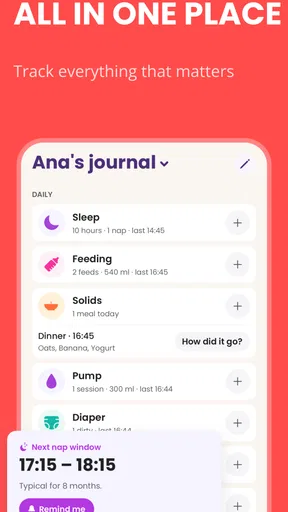
I would look elsewhere if your main need is a detailed log of everyday care, or if you already have a family note-taking system that everyone uses consistently. A paper journal can be better if you want to avoid phone use during family time, while a broader baby-care app may be a closer match if development milestones are only one small part of what you want to track. And if a tracker’s prompts make you anxious, it is completely reasonable to stop using it; no app is required for attentive parenting.
One small workflow tip is to review your notes occasionally instead of checking the app repeatedly. A quiet weekly glance can help you remember what you observed and decide whether anything is worth discussing, without making development feel like a daily performance review. If you share the phone or account with another caregiver, keep entries brief and factual so they remain easy to understand later.
What is Baby Leap: Milestone Tracker?
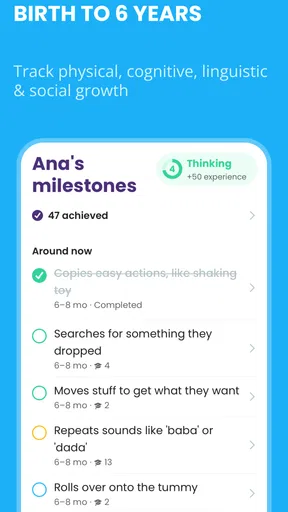
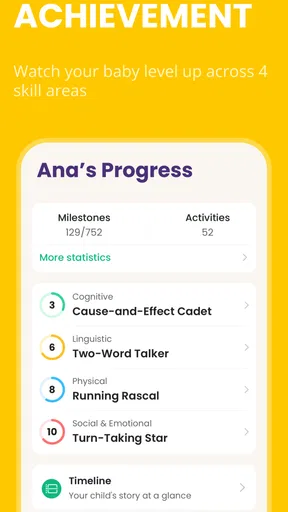
Before diving into the nitty-gritty, let me give you a quick overview. Baby Leap: Milestone Tracker is an app designed to track the developmental milestones of your baby. It covers everything from motor skills to cognitive development, ensuring you have a comprehensive look at how your baby is growing.
Getting Started with Baby Leap
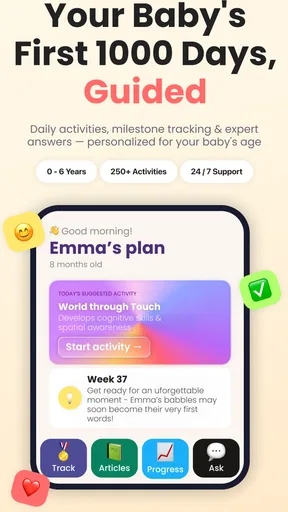
Getting started is a breeze. As soon as you open the app, you’re greeted with a friendly interface that feels more like a chat with a fellow parent than a clinical tracker. The setup process is straightforward—just enter some basic details about your baby, like their birth date and name. This sets the stage for personalized milestone tracking.
Once you're in, the app provides a timeline of expected milestones. It’s like having a tiny roadmap of your baby’s first year right in your pocket. I found this incredibly reassuring, especially when the inevitable "Is this normal?" question popped up.
Features that Stand Out
One of the standout features is the notifications. The app sends gentle reminders as your baby approaches a new milestone. I loved this feature because, let’s be honest, in the hustle and bustle of parenting, it’s easy to overlook these magical moments.
Additionally, the app includes a section for notes and photos. This allows you to document each milestone with a little more depth. Think of it as a digital scrapbook. You can jot down your thoughts or even snap a quick photo to capture the moment.
User Experience
The user experience is as smooth as a baby’s skin. The design is intuitive, and navigating through the app is a joy. There’s no steep learning curve, which is perfect for sleep-deprived parents who need things to be straightforward.
Another aspect I appreciated was the community feature. You can connect with other parents, share experiences, and even get tips. It’s like having a support group in your back pocket.
Why It Matters
So why does this app matter? Well, in a world where parenting often feels like a solo journey, Baby Leap: Milestone Tracker offers a sense of connection and reassurance. It’s not about comparing your baby to others but rather understanding their unique journey.
Moreover, early detection of developmental delays can make a significant difference. By using this app, you’re not just tracking milestones; you’re also staying informed and proactive about your baby’s development.
Final Thoughts
In conclusion, Baby Leap: Milestone Tracker is more than just an app; it's a companion for the beautiful chaos of parenting. It offers peace of mind, a sense of community, and a way to celebrate the small victories along the way.
So, if you’re a new parent or know someone who is, I’d say give this app a whirl. After all, every leap your baby takes is a step towards their bright future, and this app is here to guide you every step of the way.
Pros
- User-friendly interface for easy navigation.
- Comprehensive milestone tracking features.
- Customizable notifications for updates.
- Engaging visuals and graphics for parents.
- Data synchronization across multiple devices.
Cons
- Limited free features without subscription.
- Occasional app crashes reported by users.
- Requires internet for full functionality.
- Ads can be intrusive during use.
- Some features are locked behind paywalls.
FAQs for Baby Leap: Baby Tracker, Diary
What is Baby Leap: Milestone Tracker and how does it work?
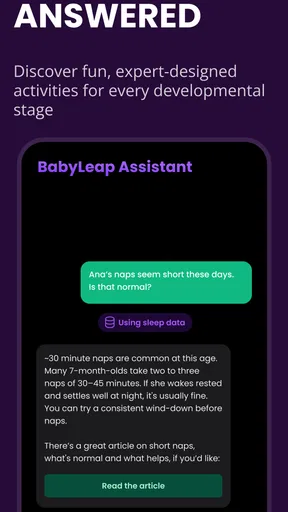
Baby Leap: Milestone Tracker is a comprehensive app designed to help parents track and monitor their baby's developmental milestones. The app provides a user-friendly interface where parents can log and analyze their child's progress in areas such as motor skills, language, and social interactions. It offers personalized tips and alerts to support your baby’s development.
Is Baby Leap: Milestone Tracker available for both Android and iOS?
Yes, Baby Leap: Milestone Tracker is available for download on both Android and iOS platforms. You can easily find and install it via the Google Play Store for Android devices or the Apple App Store for iOS devices. Ensure your device is compatible with the app version for seamless use.
Are there any in-app purchases or subscriptions required for Baby Leap: Milestone Tracker?
While Baby Leap: Milestone Tracker offers a free version with basic features, there may be in-app purchases or subscription options to unlock additional features and premium content. These may include advanced tracking options, personalized insights, and ad-free usage. Check the app’s store listing for detailed pricing information.
How secure is the data I input into Baby Leap: Milestone Tracker?
The security of your data is a top priority for Baby Leap: Milestone Tracker. The app employs robust encryption methods to protect your personal information and ensure that your data is securely stored. Additionally, it adheres to privacy policies that comply with standard data protection regulations, safeguarding your baby’s developmental records.
Can I share my baby's progress with family and friends using Baby Leap: Milestone Tracker?
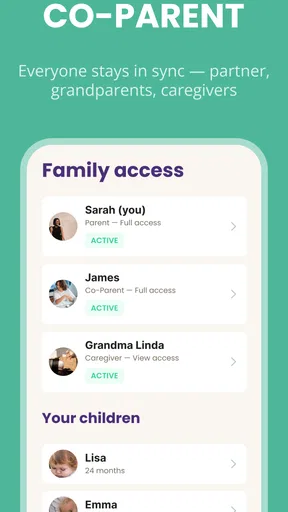
Yes, Baby Leap: Milestone Tracker allows you to share your baby's milestones and progress reports with family and friends easily. The app includes features that enable you to send updates via email or social media, ensuring your loved ones can celebrate your baby’s developmental achievements along with you.


